

Some links in this article are affiliate links. We may earn a commission if you make a purchase through them, at no extra cost to you. This does not influence our reviews.
Three weeks. Eight free AI writing tools. One massive spreadsheet tracking every output, every limitation, every moment I wanted to throw my laptop across the room.
Here's what I learned: most of these tools are running variations of the same two or three models under different paint jobs. The actual differentiator isn't the AI. It's the interface, the free tier limits, and whether the tool gets out of your way or forces you through a maze of upsell modals.
That's the thing nobody talks about. The underlying tech has converged. What separates a good free AI writer from a bad one in 2026 is everything around the AI: how it handles your workflow, what it lets you do before demanding a credit card, and whether the output actually sounds like something a person wrote.
We put each tool through real writing tasks. Blog drafts, cold emails, ad copy, social posts, even a short story prompt. No synthetic benchmarks, no "rate this on a scale of 1-10 based on vibes." Just: did this produce something I could actually use?
Some did. Some really didn't.
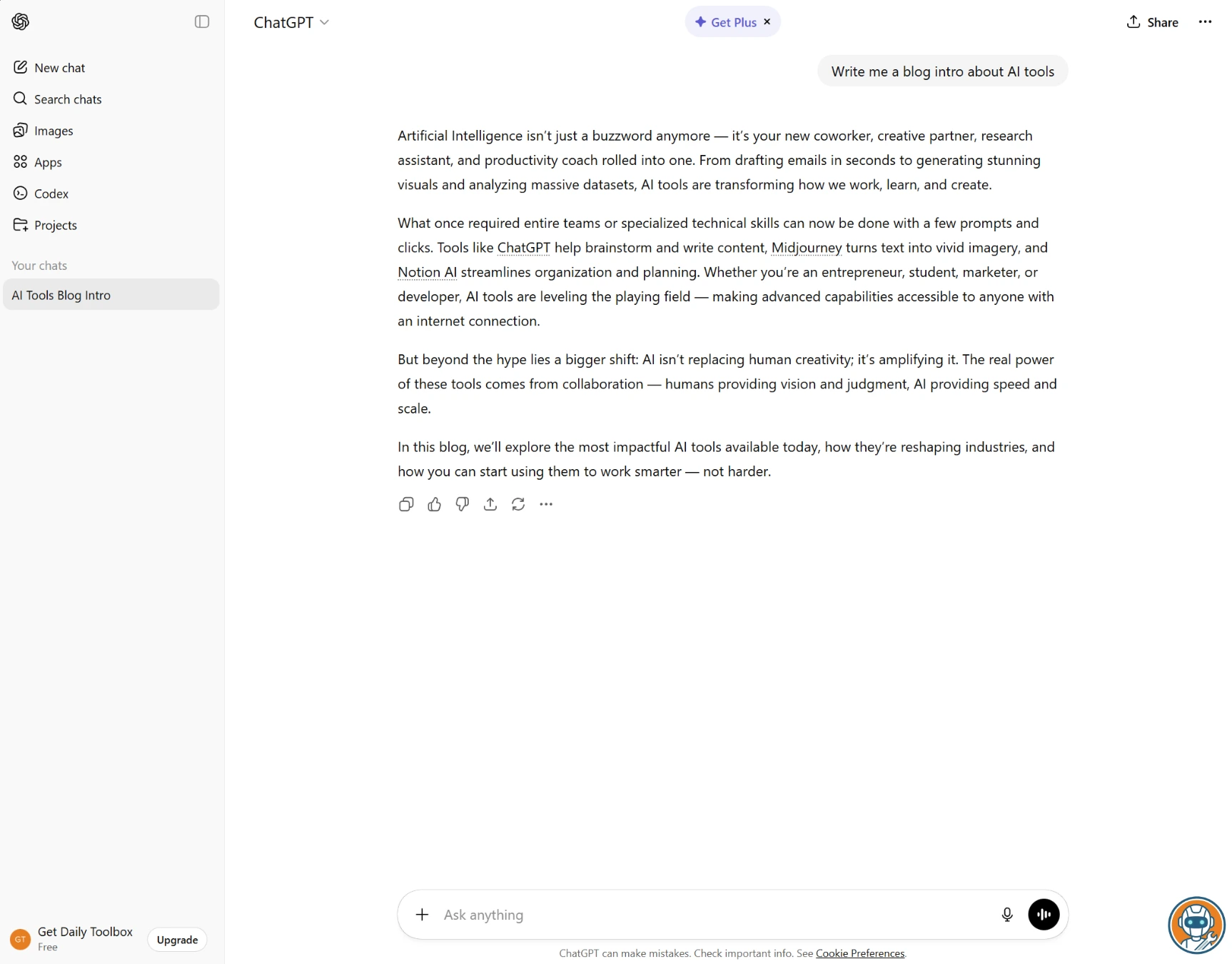
1. ChatGPT — Best Overall Free AI Writer
ChatGPT is overhyped. There, I said it. But (and this is the annoying part) it's still the one I keep coming back to.
Not because it writes the best prose. It doesn't. Claude beats it there, and I'll get to that. But because when you need to go from "blank page" to "usable draft" in under five minutes, nothing matches the speed. I timed it: a 600-word product description took 47 seconds. The same prompt in Claude took about a minute twenty, and the Claude version needed less editing afterward. But that initial speed is addictive.
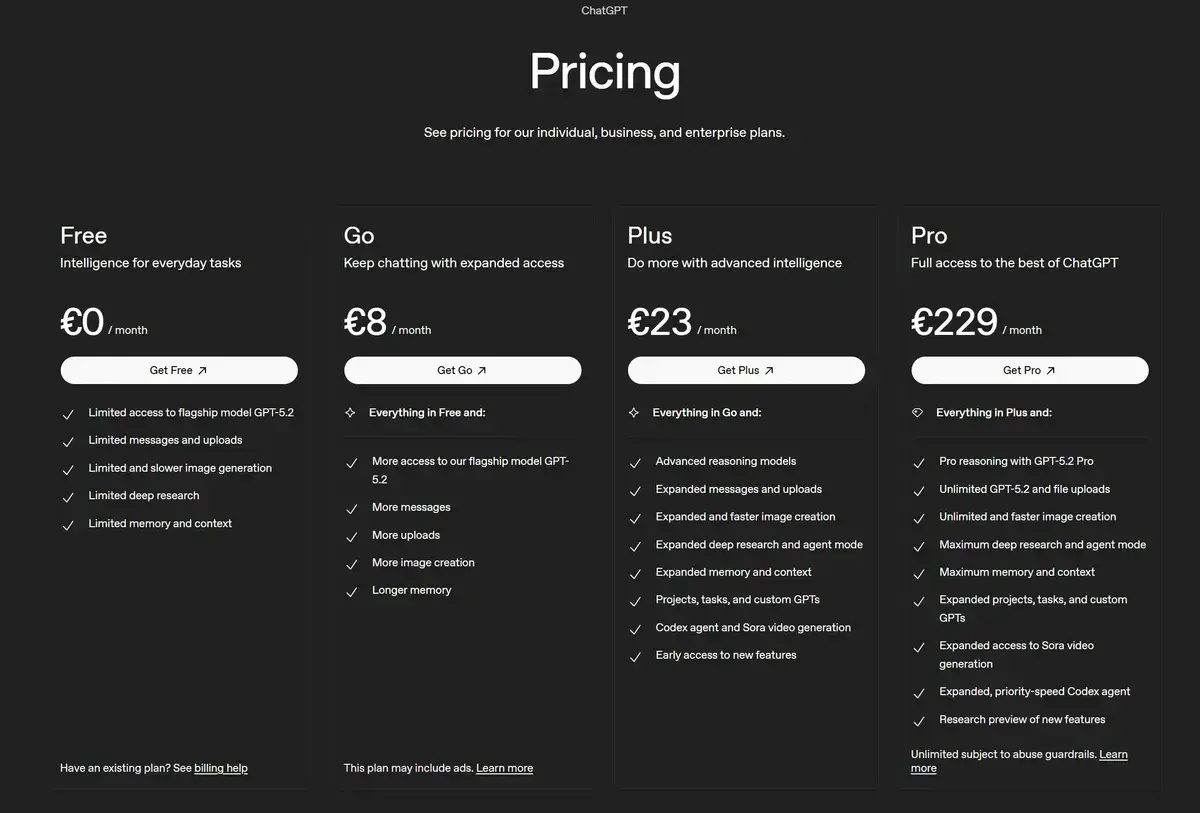
OpenAI gives free users GPT-5.2 Instant, a fast variant of their flagship GPT-5.2 model. The catch is the message cap: roughly 10 messages every five hours, then you're bumped down to GPT-5.2 Mini. And GPT-5.2 Mini writes like a college freshman trying to sound smart. The quality drop is jarring.
The web browsing is what really separates ChatGPT from the pack for day-to-day writing. Say you're drafting a piece about crypto regulation changes and need current stats. Normally that's a 15-minute research detour. ChatGPT pulls the numbers mid-conversation, cites the sources, and weaves them into the draft. No tab-switching required. (If you're curious how ChatGPT's search stacks up against dedicated AI search tools, we compared them head-to-head in our Perplexity vs SearchGPT comparison.)
But here's a frustration I didn't expect: the canvas mode (their dedicated writing interface) is weirdly disconnected from the main chat. You'd think it's one smooth workflow: chat about what you want, then edit in canvas. Instead, it's almost like two separate apps. I kept losing context switching between them, and the formatting options in canvas feel half-baked compared to something like Notion or Google Docs. Users on r/ChatGPT have the same complaint.
One more thing. The output sounds like ChatGPT. You'll know it when you see it. Slightly overenthusiastic, loves bullet points, tends to end paragraphs with a neat little summary sentence. After spending enough time with it, you can spot ChatGPT-written text from across the room. If you're publishing the output directly, plan to spend 10-15 minutes making it sound like you.
Fastest draft generation of any tool tested — 47 seconds for a 600-word product description.
Writers who need polished long-form output without heavy editing.
- GPT-5.2 Instant access on free tier — variant of their flagship model
- Web browsing pulls current data right into your draft
- 47 seconds for a 600-word product description (we timed it)
- File and image uploads even on the free plan
- Massive ecosystem of custom GPTs for niche writing tasks
- Message caps hit at the worst times — usually mid-draft
- Falls back to GPT-5.2 Mini which writes noticeably worse
- Output has a recognizable 'ChatGPT voice' that needs editing
- Canvas mode feels disconnected from the main chat workflow
2. Claude — Best for Long-Form Writing
If you write blog posts, articles, newsletters, or anything over 800 words, Claude is the one you want.
I didn't expect this going in. I figured ChatGPT and Claude would be neck-and-neck, maybe trading blows depending on the task. For long-form though, it's not close. We ran the same 1,000-word blog post prompt through all eight tools, and Claude's draft was the only one I could've published with just a light proofread. Every other output needed structural edits, tone adjustments, or both.
Seriously impressive.
What makes it click is how Claude handles transitions and paragraph flow. Most AI writers treat a 1,000-word piece as ten loosely connected paragraphs. Claude writes like there's an actual throughline. Each section builds on the last, callbacks reference earlier points, and the conclusion ties back to the intro. That's the difference between "AI-generated content" and "a good first draft."
The tone matching surprised me most. I gave it a paragraph of my own writing and asked it to match the style for a product review. It picked up on my tendency to use dashes for asides, my habit of starting paragraphs with "And" or "But," and even the slightly sarcastic undertone I use when discussing pricing. First attempt. I've been writing professionally for years and can't always articulate my own voice that clearly. Claude just... got it. The r/freelanceWriters community has noticed the same thing, with multiple threads calling Claude's style mimicry "uncanny."
Now the downsides, and they're real. Web search is available on all plans now, including free, which is a big upgrade from when we first tested. The message limit is roughly 15 messages per 5 hours, which sounds fine until you're on your third round of edits and the "you've reached your limit" banner shows up. Projects are also available on the free tier now, which is a welcome change. That's where Claude really shines for organized, multi-document writing workflows.
One quirk I noticed: Claude sometimes refuses to write things ChatGPT handles without blinking. Asked it to write a competitive comparison that was mildly critical of a competitor's product, and Claude wanted to add caveats and "to be fair" qualifiers everywhere. Had to prompt it twice to just be direct.
For a deeper look at how Claude stacks up against ChatGPT, see our ChatGPT vs Claude 2026 head-to-head comparison.
Only tool whose 1,000-word blog draft was publishable with just a light proofread.
Anyone who needs high-volume short-form content at speed.
- Best long-form output in this roundup — publishable with light editing
- Tone matching actually works (nailed my writing style first try)
- 200K token context — paste entire documents for reference
- Structured output with real throughlines, not disconnected paragraphs
- ~15 messages per 5 hours — burns fast during editing rounds
- Sometimes hedges too much on critical or competitive content
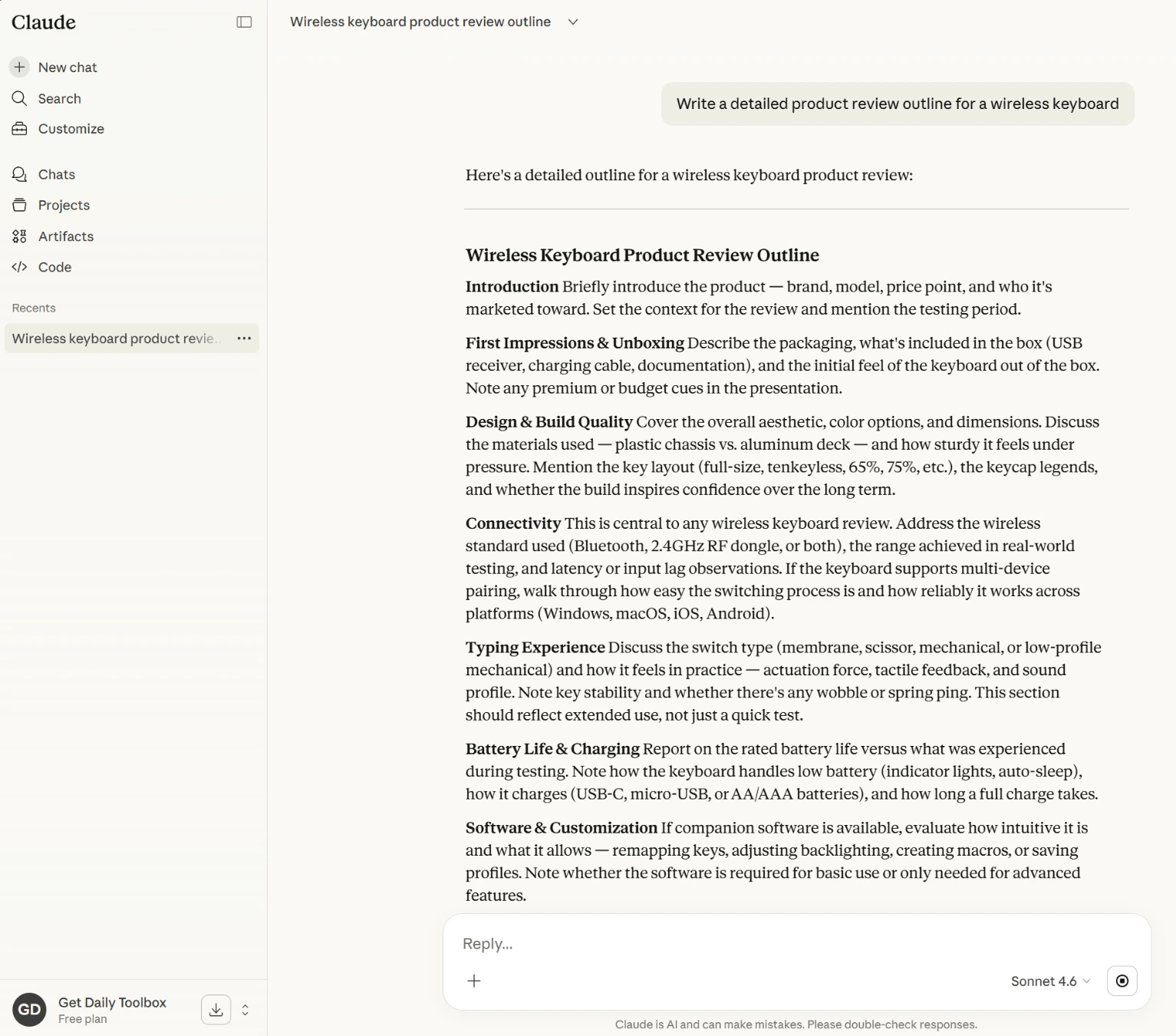
3. Google Gemini — Most Generous Free Tier
Let me get the frustration out first: Gemini's writing has a Wikipedia problem. It produces technically accurate, well-organized, completely soulless prose. Ask it for a blog post and you get something that reads like a textbook chapter someone lightly edited for a casual audience. The information is there. The personality isn't.
So why is it third on this list?
Because the free tier is absurd. A million-token context window. Access to Gemini 2.5 Pro, their actual best model, not some nerfed version. Daily message limits high enough that I never hit them during three weeks of testing. Never. Compare that to the anxiety of watching your ChatGPT message counter tick down.
And here's where it gets interesting. For research-heavy writing, the Wikipedia-ish quality is actually fine. I used Gemini to draft a 2,000-word explainer about hardware wallet security for another article on this site, and the output was perfect for that format. Dense, factual, well-sourced. I added my own voice in editing and the final piece turned out great. We've been using it for research drafts across categories, including our crypto tax software comparison. For informational content, Gemini's sterile accuracy is a feature, not a bug.
The Google integration is the other standout. If your workflow already lives in Google Docs and Gmail, Gemini slots right in. I drafted a client proposal in Gemini, exported it to Docs, and shared it, all without leaving the Google ecosystem. No copy-pasting, no formatting headaches. Sounds small. Saves more time than you'd think.
But for anything that needs voice (marketing copy, personal essays, opinion pieces, anything where the reader should feel a human presence) Gemini falls flat. I asked it to write a sarcastic product review, the same test I ran on Claude, and it produced something that read like a PR person's idea of sarcasm. Polite zingers. Toothless.
Not great.
1M-token context and daily limits so high we never hit them in three weeks of testing.
Writers who need personality or voice in their output.
- 1 million token context window — nothing else comes close free
- Gemini 2.5 Pro on free tier (their actual flagship model)
- Never hit the daily message limit in 3 weeks of testing
- Google Workspace integration (Docs, Gmail, Drive) is smooth
- Built-in web search pulls current info automatically
- Writing reads like a textbook — technically fine, zero personality
- Sarcasm test: produced 'polite zingers' instead of actual wit
- Over-explains and hedges — adds caveats nobody asked for
- Google account required (not everyone wants deeper Google lock-in)
4. Grammarly — Best for Editing & Polishing
After spending two weeks generating drafts with the tools above, I started to notice something: every single AI-generated draft needed the same kind of cleanup. Awkward transitions, overused phrases, passive voice where active would hit harder. That's where Grammarly comes in, and it's solving a fundamentally different problem than everything else on this list.
Grammarly doesn't write for you. It fixes what you (or your AI tool) already wrote.
The free plan gives you real-time grammar, spelling, and punctuation checking (the stuff that made Grammarly a household name) plus 100 AI prompts per month for rewrites, tone shifts, and expansions. The real-time corrections have no limits, no daily cap, no message counter. They just work, everywhere, all the time. Browser extension, desktop app, mobile keyboard, Google Docs, Word. I haven't typed a professional email without Grammarly running in the background for about two years now.
Here's what I wasn't expecting: Grammarly caught issues in my ChatGPT-generated drafts that I missed on manual review. Comma splices, subtle subject-verb disagreements, sentences that technically made sense but read clunky. It flagged 23 issues in a 1,000-word ChatGPT draft that I thought was "clean enough to publish."
The 100 AI prompts per month, though. That's where it gets tight. I burned through 40 in the first week just experimenting. If you're using the AI rewrite features as your main editing workflow, 100 runs out fast. The real-time grammar stuff is unlimited, but the "make this paragraph more concise" and "change tone to casual" features aren't. And Grammarly Premium at $12/month (annual billing) is a reasonable upgrade, but it's still money for something that other tools technically do for free within their chat interfaces.
My honest take? Pair Grammarly's free tier with Claude or ChatGPT. Generate the draft in one, polish in the other. That combo costs nothing and produces better output than either tool alone.
Caught 23 issues in a ChatGPT draft we thought was clean enough to publish.
Anyone looking for a tool to generate content from scratch.
- Works everywhere — browser, desktop, mobile, inside other apps
- Unlimited real-time corrections (no daily cap, no message limit)
- Caught 23 issues in a 'clean' ChatGPT draft I almost published
- 100 AI prompts/month for rewrites, tone shifts, expansions
- Solid privacy protections even on free tier
- Not a content generator — won't write from scratch
- 100 AI prompts/month burns fast if you lean on them
- Tone suggestions skew conservative — wants everything to sound 'professional'
- Premium at $12/month feels steep when ChatGPT does rewrites for free
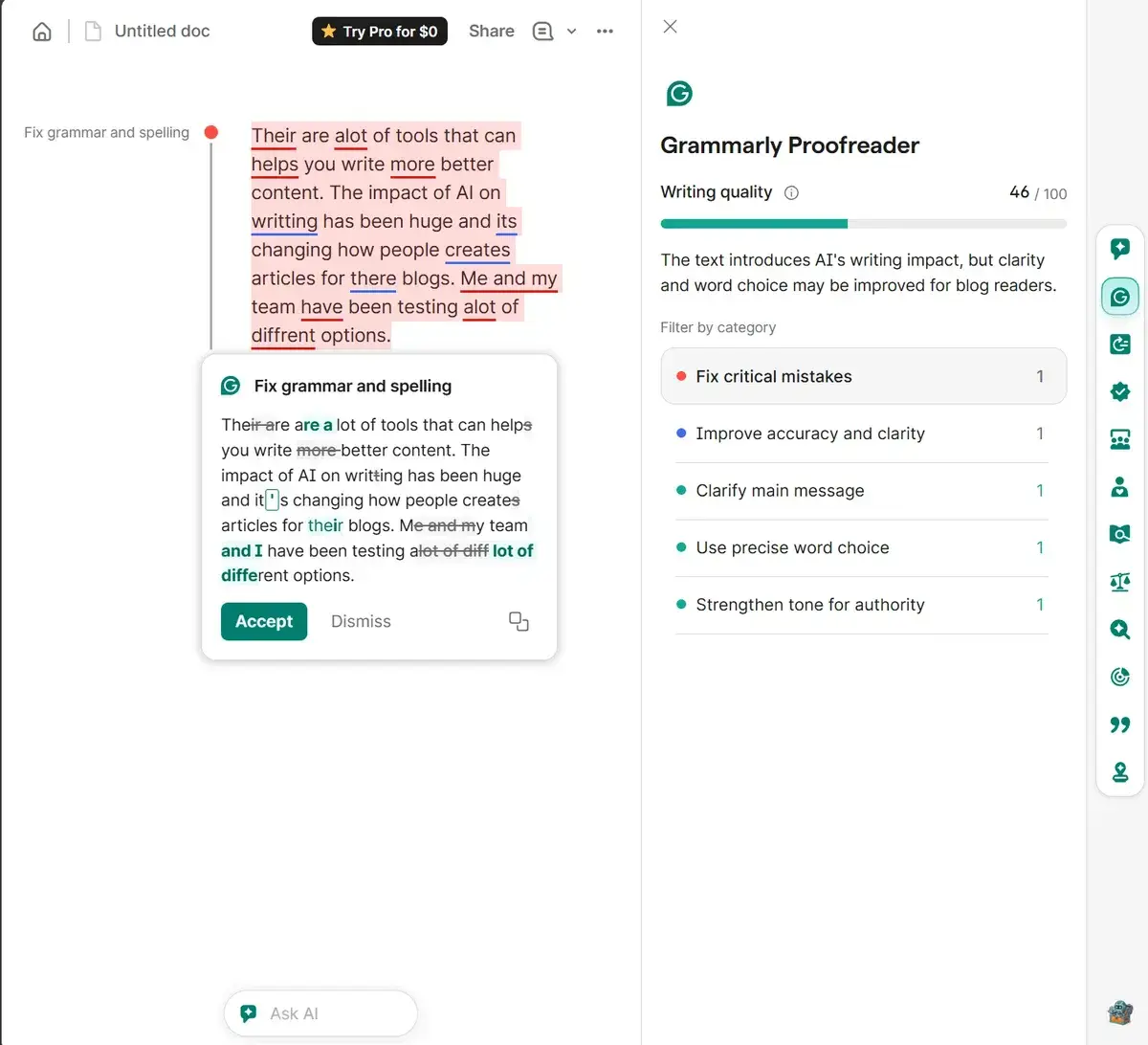
5. Copy.ai — Best for Marketing Copy
Last Tuesday I needed seven product descriptions for a client's Shopify store. Due by end of day. Normally that's a three-hour job including research, drafting, and client-voice matching. I knocked out all seven in Copy.ai in 52 minutes, and four of them went live without a single edit.
That's the pitch. For short marketing content, Copy.ai is absurdly fast.
The 90+ templates are the key. You're not writing prompts from scratch. You pick "Product Description," fill in the product name, three features, and target audience, and it generates five variations. Pick the best one, tweak a line or two, done. For Facebook ads, email subject lines, landing page hero text, product taglines, the template approach consistently beats open-ended prompting in ChatGPT. Less thinking, more usable output. And if you need a quick landing page to put that copy on, Mixo generates one from a prompt in 30 seconds.
The Brand Voice feature works better than it has any right to. I pasted three paragraphs of a client's existing website copy, and Copy.ai matched their slightly-too-formal-but-trying-to-be-casual tone across every subsequent generation. Even got the em-dash habit right.
Now here's the problem: 2,000 words per month. That's it. I used 1,400 of those words on the Shopify descriptions alone, leaving 600 for the rest of the month. And the free tier runs on GPT-3.5 and Claude 3, models that are a full generation behind what ChatGPT and Claude give you for free on their own platforms. You're getting convenience and templates, but the underlying AI is older and it shows on complex tasks. Anything longer than 300 words starts to feel formulaic.
The Starter plan at $49/month is also... a lot. For that price you could get ChatGPT Plus, Claude Pro, and Grammarly Premium combined. Copy.ai's templates are nice, but $49-nice? For most people, probably not. (If you're considering the paid tiers of Copy.ai, Jasper, or Writesonic, we broke down the real costs and 2026 pivots in our Jasper vs Copy.ai vs Writesonic comparison.)
Knocked out 7 product descriptions in 52 minutes with 4 publishable without edits.
Writers who need more than 2,000 words per month or long-form content.
- 90+ templates that actually save time vs. open-ended prompting
- Brand Voice matched a client's tone from just 3 paragraphs
- Multiple variations per generation — pick the best, trash the rest
- 52 minutes for 7 product descriptions (I timed it)
- 2,000 words/month — gone in one afternoon session
- Uses GPT-3.5 and Claude 3 (a full generation behind the free tiers of ChatGPT and Claude)
- Starter plan at $49/month is hard to justify
- Anything over 300 words gets formulaic fast
- One user seat — no collaboration on free plan
6. Rytr — Best Budget AI Writer
$9/month. That's what Rytr charges for 100,000 characters on their Saver plan, roughly 15,000 words. For comparison, Copy.ai wants $49/month and gives you unlimited words but on similarly dated models. If budget is your primary filter, this conversation starts and ends with Rytr.
But let's talk about the free tier first, because it's surprisingly decent. 10,000 characters per month (about 1,500 words), access to all 40+ use cases, 20+ tone options, and a plagiarism checker. On the free plan. The plagiarism checker alone is something most competitors lock behind a paywall.
The use case templates are genuinely helpful if you're not comfortable writing prompts. Blog outlines, interview questions, video descriptions, AIDA framework ads, even song lyrics. Each one is pre-tuned for its specific format. The "Blog Section Writing" use case produces a passable 300-word section about remote work in about 20 seconds. Not award-winning prose, but solid enough for a team blog or company newsletter.
Here's where it gets honest, though. Rytr uses older models, and you can feel it. The writing has a certain... smoothness that screams 2023. Sentences are grammatically perfect but predictable. Metaphors are safe. Longer pieces start repeating points with slightly different wording, like the AI is padding word count. I ran a 1,000-word blog post test through Rytr and had to rewrite roughly 40% of it, compared to maybe 15% with ChatGPT and 5% with Claude.
Worth the free plan? Absolutely, especially for short-form content. Worth upgrading to $9/month? Only if you've already maxed out ChatGPT and Claude's free tiers and need more volume without paying $20/month for either.
Free plagiarism checker included on the free tier, which most competitors lock behind paywalls.
Anyone expecting current-gen AI quality or writing pieces longer than 300 words.
- 10,000 free characters/month with all 40+ use cases
- Built-in plagiarism checker on the free tier (rare)
- Cheapest upgrade path — $9/month for 100K characters
- 20+ tone options cover most content styles
- No credit card required for free plan
- Writing quality is a clear step down — needed 40% rewriting on a test post
- Longer content repeats itself with slightly different wording
- Uses older models — output feels like 2023-era AI
- 10,000 characters is roughly 1,500 words — tight for serious use
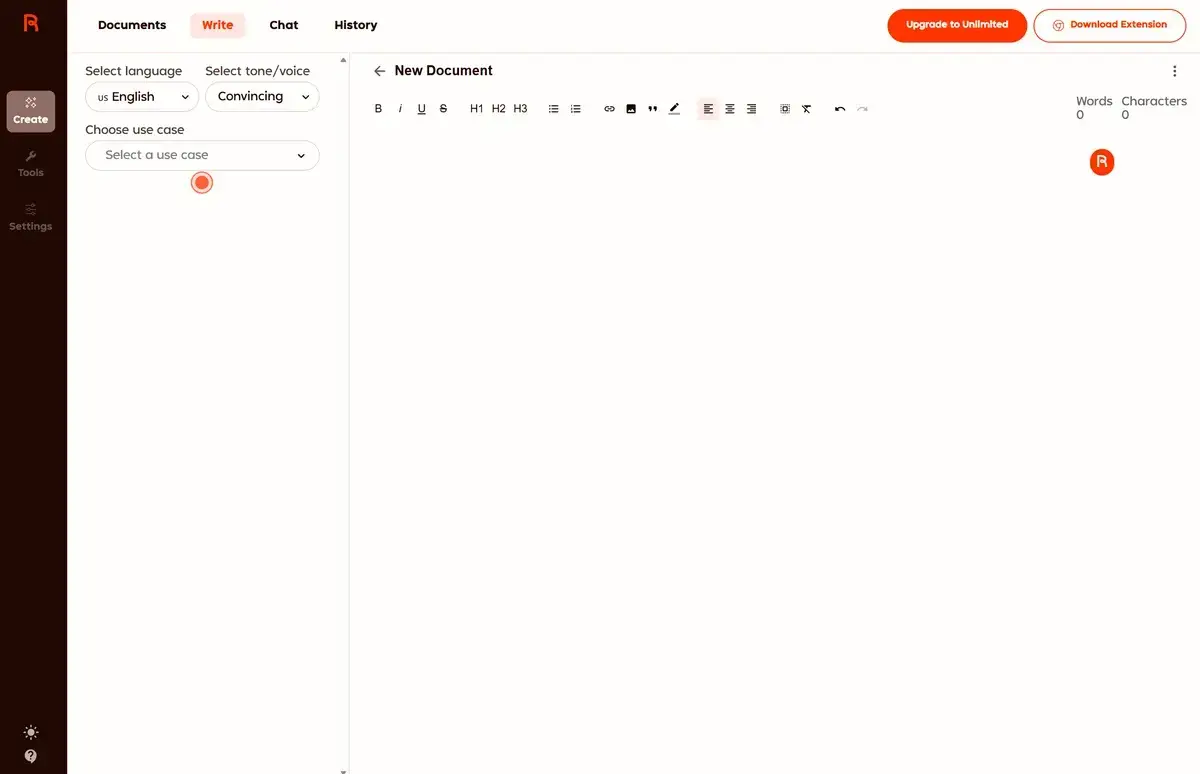
7. QuillBot — Best for Rewriting & Paraphrasing
I almost didn't include QuillBot because it's not really a writing tool. It's a rewriting tool. But then I watched my intern use it for an entire week and realized that for a certain kind of writer, this is the most useful thing on the list.
If you write in a second language, or if you're the type who gets the ideas down but can't make them sound right, QuillBot is built for you. The Fluency mode takes awkward, technically-correct-but-weird sentences and makes them read naturally. Run a paragraph from a non-native English speaker through it and the improvement is instant and accurate. Meaning preserved, awkwardness gone. Took about four seconds.
Free tier: unlimited paraphrases at 125 words per use (no daily cap on how many times you hit it), summarizer up to 1,200 words, 2 of the 9 paraphrasing modes (Standard and Fluency), and 50 AI prompts daily.
125 words at a time. Yeah.
That's the obvious limitation. You're working paragraph by paragraph, not pasting in a whole essay. But honestly? That's kind of the right workflow for editing anyway. You shouldn't be rewriting entire documents in one click. You should be looking at each paragraph and deciding what it needs. QuillBot forces that discipline even if it's doing it for upsell reasons rather than philosophical ones.
The seven locked paraphrasing modes (Creative, Shorten, Expand, Formal, Simple, Academic, Custom) are Premium-only at $19.95/month. On the free trial, Creative mode is genuinely good for avoiding repetitive phrasing across a long piece. The others are fine but not essential. For most people, Standard and Fluency cover 90% of what you'd need.
Where QuillBot falls apart: don't use it for original content creation. The AI Chat is limited to 50 prompts/day and the quality doesn't compete with ChatGPT or Claude. This is a specialized tool. Use it for what it's good at and you'll love it. Try to make it do everything and you'll be frustrated.
Fluency mode transforms awkward non-native English into natural-sounding prose instantly.
Anyone who needs original content generation rather than rewriting existing text.
- Unlimited free paraphrases (125 words per use, no daily cap)
- Fluency mode genuinely fixes awkward writing — tested with ESL writers
- Summarizer handles up to 1,200 words on free plan
- Browser extension and Word/Chrome integrations
- Forces paragraph-level editing (better workflow than bulk rewriting)
- 125-word limit per use is clearly an upsell tactic
- Only 2 of 9 paraphrasing modes on free tier
- AI Chat limited to 50 prompts/day and can't compete with ChatGPT
- Not a content generator — editing and rewriting only
8. Google NotebookLM — Best for Research-to-Writing
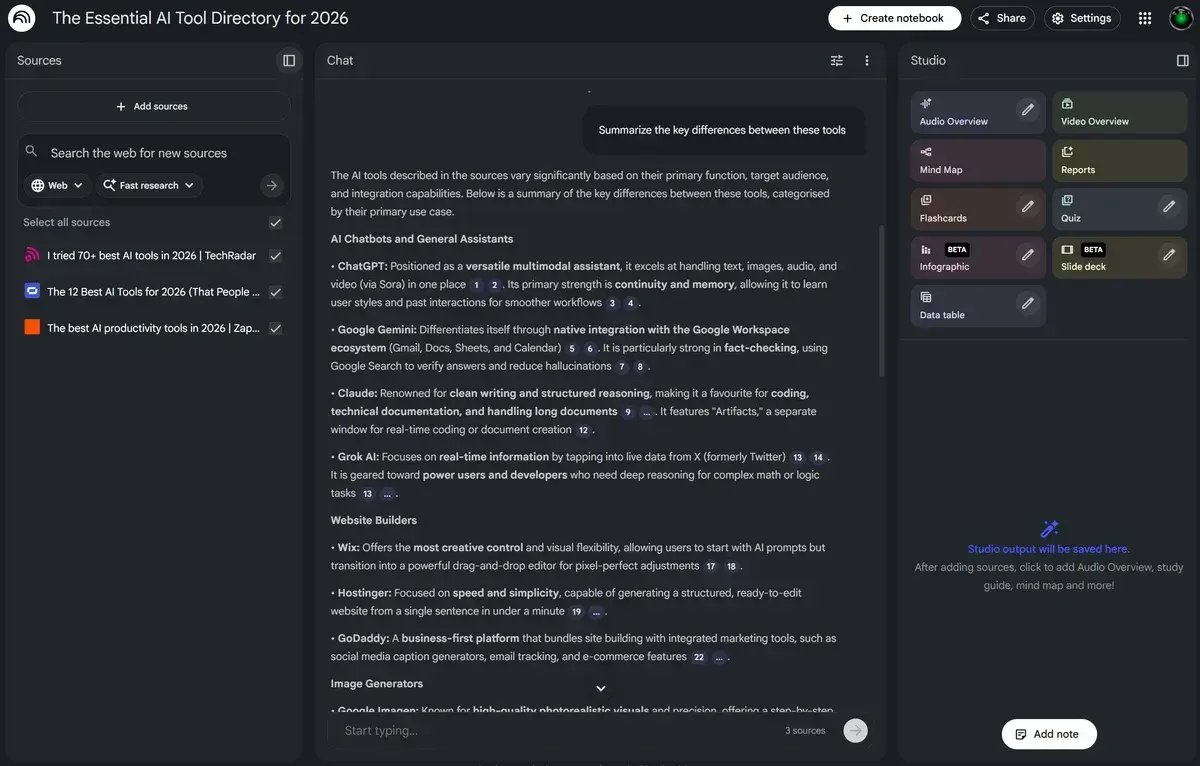
I know what you're thinking: "This isn't a writing tool." And you're right. But I've used NotebookLM to produce more publishable content in the last month than any other tool on this list, just not in the way you'd expect.
The workflow is backwards from everything else here. Instead of "give the AI a prompt and hope it writes something good," you dump your sources in first (PDFs, articles, YouTube transcripts, meeting recordings, Google Docs, up to 50 per notebook) and then NotebookLM becomes an expert on that specific material. No hallucinations. No made-up statistics. Every claim traces back to something you uploaded.
For the hardware wallet article on this site, I uploaded 12 product spec sheets, 3 security whitepapers, and 8 competitor reviews. Then I asked NotebookLM to draft a comparison of security features across all devices. The output was dense, accurate, and saved me roughly four hours of manual synthesis. I still had to rewrite it in my voice (NotebookLM writes like a research assistant, not a blogger) but the information architecture was perfect.
And it's completely free. 100 notebooks, 50 sources each, 50 chat queries per day, 3 Audio Overviews daily.
The Audio Overview feature deserves its own mention because it's genuinely weird and genuinely useful. It generates a two-person podcast-style discussion about your uploaded sources. I've started using it to prep for articles: upload my research, generate the audio, listen to it while walking the dog, come back with a clearer mental outline of what I want to write. It's not a writing tool. It's a thinking tool. And better thinking produces better writing.
The limitation is baked into the design: NotebookLM won't write about anything you haven't given it. No sources, no output. That makes it useless for creative writing, opinion pieces, or anything where you need the AI to bring its own knowledge. It's the anti-ChatGPT in that sense. For research-heavy content, that constraint is a superpower. For everything else, look elsewhere.
The export situation is also frustrating. No direct export to Google Docs, no markdown download, no formatting options. You're copy-pasting everything into whatever editor you actually use. For a Google product, the lack of Google Docs integration is baffling. Like, you own both of these products, Google. Connect them.
Saved roughly four hours of manual research synthesis by grounding every claim in uploaded sources.
Creative writers or anyone without existing source material to upload.
- 100% free with genuinely generous limits
- Zero hallucination — only references your uploaded sources
- Audio Overview turns research into a podcast (surprisingly useful for prep)
- Saved ~4 hours of manual research synthesis on one article
- Handles PDFs, web pages, YouTube transcripts, Google Docs
- Not a general-purpose writer — useless without source material
- Output reads like a research assistant, not a human writer
- No export to Google Docs (baffling for a Google product)
- 50 queries/day can feel limiting during heavy research sessions
Full Comparison
Every tool, side by side. I focused on the specs that actually mattered during testing, not a features checklist, but the stuff that determined whether I reached for the tool again the next day.
| Feature | ChatGPT | Claude | Gemini | Grammarly | Copy.ai | Rytr | QuillBot | NotebookLM |
|---|---|---|---|---|---|---|---|---|
| Free Tier Limit | ~10 msgs / 5 hrs | ~15 msgs / 5 hrs | Generous daily limits | 100 AI prompts/mo | 2,000 words/mo | 10K chars/mo | 125 words/use | 50 queries/day |
| AI Model | GPT-5.2 Instant | Sonnet 4.6 | Gemini 2.5 Pro | Proprietary | GPT-3.5 + Claude 3 | Older models | Proprietary | Gemini-based |
| Best For | All-around writing | Long-form content | Research + writing | Editing & polishing | Marketing copy | Short-form content | Paraphrasing | Research writing |
| Writing Quality | ★★★★☆ | ★★★★★ | ★★★☆☆ | ★★★☆☆ (editing) | ★★★★☆ | ★★½☆☆ | ★★★☆☆ (rewriting) | ★★★★☆ |
| Web Access | ✓ | ✓ | ✓ | ✗ | ✗ | ✗ | ✗ | Source-based |
| Works Everywhere | Web + Mobile | Web + Mobile | Web + Mobile + Docs | Everywhere (extensions) | Web only | Web only | Web + Extensions | Web only |
| Upgrade Price | $20/mo (Plus) | $20/mo (Pro) | $20/mo (Advanced) | $12/mo (annual) | $49/mo (Starter) | $9/mo (Saver) | $19.95/mo | Free (Plus via Google AI) |
| Action | Try Free → | Try Free → | Try Free → | Try Free → | Try Free → | Try Free → | Try Free → | Try Free → |
How We Tested
Each tool ran through the same six writing tasks over two weeks. Not benchmarks. Real work, the kind of stuff you'd actually need an AI writer for on a Tuesday afternoon.
- Blog draft: "Write 1,000 words about remote work productivity." Scored on structure, tone, and how much editing was needed before I'd publish it.
- Cold email: "Write a follow-up email after a job interview." Had to sound human, not robotic. This one eliminated two tools immediately.
- Social media: "5 tweets promoting a SaaS product launch." Evaluated on variety. Most tools generated five tweets that all sounded the same.
- Product copy: "Product description for wireless noise-canceling headphones." Checked for specificity. If it could describe any headphone, it failed.
- Creative prompt: "Opening paragraph of a thriller set in Tokyo." This one separated the interesting tools from the boring ones.
- Rewriting: Same badly-written paragraph across all eight. Compared clarity improvement and meaning preservation.
I tracked results in a spreadsheet with three columns: usable as-is, needs light edits, needs heavy rewriting. The final scores weighted that data alongside free tier generosity and day-to-day usability. A tool that writes brilliantly but limits you to 500 words/month isn't helping anyone.
We published our full ChatGPT vs Claude 2026 comparison for a deep dive on how they stack up across writing, coding, and pricing.
Who Should Use What
The "best" tool doesn't exist. There's only the best tool for your specific workflow. Here's the shortcut:
- Freelance writers and bloggers: Claude for drafts, Grammarly for polish. This combo is free and produces better output than most paid tools. I use it daily.
- Students: ChatGPT for research (the web browsing) plus QuillBot for paraphrasing and smoothing out academic writing. Don't submit AI output directly. Use it to draft, then rewrite in your own words.
- Marketers on a deadline: Copy.ai if you need templated output fast. ChatGPT if you need more volume than 2,000 words/month. Honestly? ChatGPT with a good prompt template does 90% of what Copy.ai does without the word limit.
- Researchers and academics: NotebookLM, period. Upload your sources, synthesize, then move the output to Claude for final writing. Nothing else handles source material like this.
- ESL writers: Grammarly for real-time corrections while you type, QuillBot for making individual paragraphs sound native. Both free tiers are specifically good at this.
- People who just want one tool: ChatGPT. It's not the best at any single task on this list, but it's the only one that handles all of them acceptably. Jack of all trades, master of none, but sometimes that's exactly what you need.
The Verdict
Here's what three weeks of testing taught me: the gap between these tools is smaller than their marketing wants you to believe. Most of them are running the same foundation models with different wrappers. The real differences are in the edges: free tier limits, interface design, export options, and how much the tool fights you versus flows with you.
ChatGPT is still the default recommendation, and I don't think that changes anytime soon. It does everything, it does it fast, and GPT-5.2 Instant on a free tier is still wild. But the message limits and the "ChatGPT voice" in the output are real problems if you're publishing content under your own name.
Claude writes better. Full stop. For long-form content, the quality gap is obvious enough that I restructured my own workflow around it. Drafts in Claude, research in ChatGPT, polish in Grammarly. The tight message limits sting, though.
Gemini is the one I underestimated. The free tier is so generous that it's become my go-to for any task where I might hit ChatGPT or Claude's limits. The writing lacks soul, but for informational content, that's fine. And the Google Docs integration is genuinely useful in practice, not just on paper.
The specialists (Grammarly, Copy.ai, QuillBot, NotebookLM, Rytr) are exactly that. Specialists. They're not trying to be everything, and they're better for it. Grammarly catches things the AI generators miss. NotebookLM handles research in a way that nothing else even attempts. QuillBot is secretly the most useful tool on this list for non-native speakers.
My actual setup, if you're curious: Claude for first drafts. ChatGPT for research and quick tasks. NotebookLM when I'm working from heavy source material. Grammarly running in the background always. A decent VPN if I'm on public Wi-Fi, since some VPN IPs trigger CAPTCHAs on ChatGPT and Claude. Total monthly cost: zero dollars (VPN optional). And if you're polishing your LinkedIn while you're at it, pair the writing with an AI-generated headshot, because some of those tools are genuinely good now. If the same job search also needs a stronger resume, our AI resume builders roundup breaks down which tools are good at tailoring instead of just dressing up templates. If you're a developer, these same AI models power the best vibe coding tools we reviewed, including Cursor, Lovable, and the rest.
That's genuinely hard to argue with.